Motion sensor lights are popular for their energy efficiency and convenience. However, many users encounter a common issue: "why does my motion sensor light stay on all the time?" According to recent industry studies, approximately 30% of motion sensor light users experience this problem at some point. Understanding the causes can help in effective troubleshooting.
One possible reason is improper sensor placement. If positioned too close to heat sources, the light may remain activated, even without motion. Similarly, sensitivity settings could be too high, causing continuous activation. Experts recommend checking the manufacturer's guidelines to optimize sensor performance.
Another factor is environmental influences. Nearby trees or animals might trigger the sensor inadvertently. A significant percentage of users overlook these details, leading to unnecessary frustrations. Reflecting on these aspects can enhance the overall experience with motion sensor lighting, ensuring it serves its intended purpose efficiently.
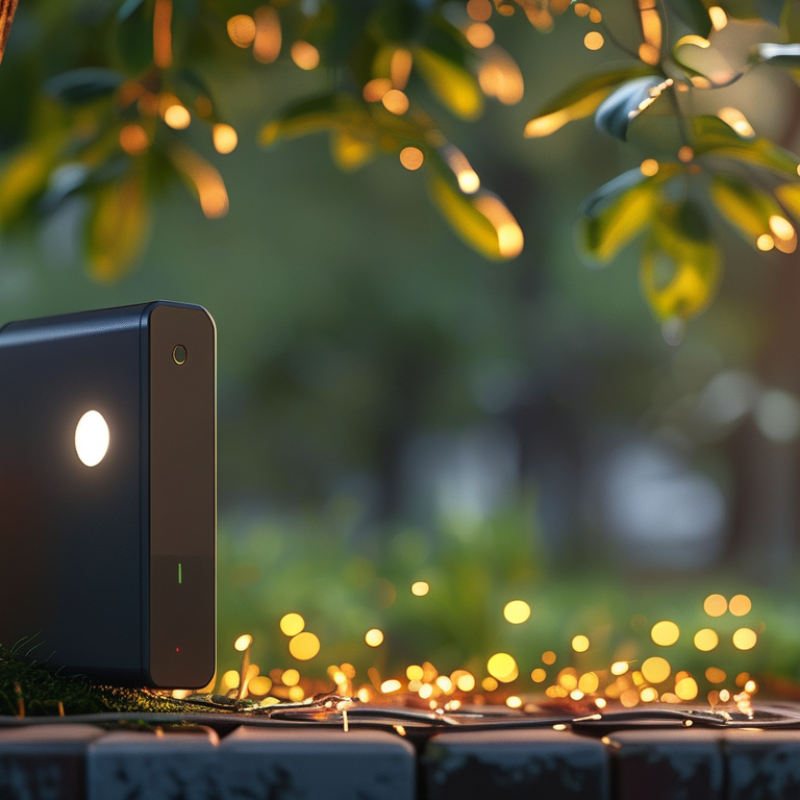
Motion sensor lights are convenient, but they can malfunction. When a motion sensor light stays on constantly, there are common reasons behind this issue. First, the sensor may be too sensitive. If it is aimed at moving branches or animals, it can trigger false alarms. Adjusting the sensor's sensitivity level can often solve this problem.
Another reason could be electrical issues. Faulty wiring or poor connections can lead to erratic behavior. Check for loose wires or damaged connectors. If you're unsure, consult a professional to ensure safety.
Sometimes, the light's settings are not configured correctly. Ensure the timer settings are appropriate for your space. A timer that is set too long will keep the light on for extended periods. Reflecting on these aspects can help identify the root cause. Regular maintenance and adjustments can improve performance and reliability.
Motion sensors work by detecting changes in the environment. They use infrared technology or motion detection algorithms to sense movement. The infrared sensors detect body heat, while active sensors emit signals and detect changes in the reflection of those signals. This technology allows for energy savings. According to the U.S. Department of Energy, motion sensors can save up to 30% on lighting costs in commercial spaces.
When a motion sensor light stays on constantly, there could be several reasons. Environmental factors often influence this. For example, the sensitivity settings could be too high. This means that even small movements, such as leaves rustling or animals passing by, can trigger the light. A study from the Lighting Research Center highlights that adjusting sensitivity can reduce false triggers by nearly 50%.
Another issue may involve placement. A sensor positioned too close to a heat source may lead to constant activation. For instance, if it’s near a window with sunlight exposure, it can misinterpret sunlight as motion. Experimenting with placement and sensitivity settings can sometimes resolve these frustrating issues. In conclusion, understanding how motion sensors operate is crucial for effective use.
Motion sensors can behave unexpectedly due to various environmental factors. These devices rely heavily on detecting changes in heat and light. When temperatures fluctuate, they can trigger false alarms or prolong activation periods. For instance, a study from the Lighting Research Center indicates that extreme weather conditions can increase the likelihood of sensor activation by up to 30%.
Additionally, the placement of motion sensors is crucial. If positioned near heat sources like air conditioning units or sunlight patches, they may stay on longer than intended. In commercial applications, over 45% of users report issues with sensor reliability due to environmental interference. This highlights the importance of strategic positioning to minimize unwanted activations.
Lastly, obstructions in the sensor's line of sight can result in prolonged activation. Dust, leaves, or outdoor furniture can impede the sensor's function. According to a report from the National Institute of Standards and Technology, maintaining a clean sensor environment can reduce false triggers by approximately 25%. Regular checks and adjustments can make a significant difference in performance and reliability.
If your motion sensor light stays on constantly, it’s time to troubleshoot. Start by checking the sensor settings. Many lights come with adjustable sensitivity. If it’s set too high, it may detect minor movements. This could be anything from rustling leaves to small animals. Adjust the sensitivity to see if it helps.
Next, inspect the light for obstructions. Sometimes, dirt or debris may block the sensor's view. Clean the sensor lens gently with a soft cloth. This small task can make a significant difference. Another common issue is the light’s electrical wiring. Loose connections can cause the light to stay on. If you’re not confident in checking this, consider consulting a professional.
Lastly, consider the environment. If your light faces a busy street or a backyard with pets, it might be responding to these triggers. Reassess the placement of your sensor. Moving it can avoid unnecessary activations. These steps can help you regain control over your motion sensor light.
Motion sensor lights are convenient but can sometimes malfunction. If your motion sensor light stays on constantly, it might be time to seek professional help. Various factors could lead to this issue, including faulty wiring or sensor problems. If the light remains on after dark, it may indicate a sensor that is stuck in the "on" mode.
Before calling an expert, consider a few tips. First, check the sensor settings. Many sensors have adjustable sensitivity. If the sensor is too sensitive, it might detect small movements or changes in light. Second, examine the light's surroundings. Obstructions like trees or nearby streetlights could confuse the sensor.
Professional assistance is crucial if basic troubleshooting fails. Electricians can assess electrical issues, ensuring safety and function. A qualified technician has the tools and knowledge to diagnose complex problems. Seeking help early can save you from longer-term damage or higher repair costs. Remember, it’s better to be safe with electrical issues than to risk further complications.
| Issue | Possible Cause | Solution | When to Seek Help |
|---|---|---|---|
| Light stays on constantly | Sensor sensitivity too high | Adjust sensitivity settings | If adjustments don’t work |
| Light flickers frequently | Faulty wiring | Check wiring connections | If unsure about wiring |
| Light activates randomly | External heat sources | Relocate sensor or shield | If problem persists |
| Not turning on at all | Burnt out bulb | Replace the bulb | If problem continues |
| Light turns on during day | Day/night sensor malfunction | Replace sensor | If replacement fails |
: The sensor may be too sensitive. It might be triggered by branches or animals.
Look for issues like faulty wiring or poor connections. Ensure all wires are secure.
If placed near heat sources or sunlight, sensors may activate longer. Choose locations wisely.
Yes. Temperature changes can lead to false triggers. Extreme weather may increase this by 30%.
If your light remains on after checking settings and surroundings, consult an electrician.
Dust, leaves, or even outdoor furniture can block the sensor's view. Keep the area clear.
Regular checks can reduce false triggers by around 25%. Maintenance greatly improves reliability.
A timer set too long will keep the light on. Adjust the settings to fit your needs.
Basic troubleshooting may work, but complex problems require a qualified technician. Be cautious.
Delaying repairs could lead to greater problems or increased costs. It’s better to address issues early.
If you’ve ever wondered "why does my motion sensor light stay on all the time," it could be due to various common factors affecting its operation. Motion sensors work by detecting movement through infrared technology or microwave detection, but environmental factors like extreme weather, foliage interference, or improper positioning can lead to malfunctions.
To troubleshoot constantly on lights, begin by checking the sensor's settings, adjusting its sensitivity, or ensuring it's not inadvertently triggered by pets or passing vehicles. If issues persist despite thorough troubleshooting, it may be time to seek professional help to address underlying problems with the sensor.
